LAB NOTEBOOK
Bartosz Pranczke
Bartosz Pranczke
BP Photos
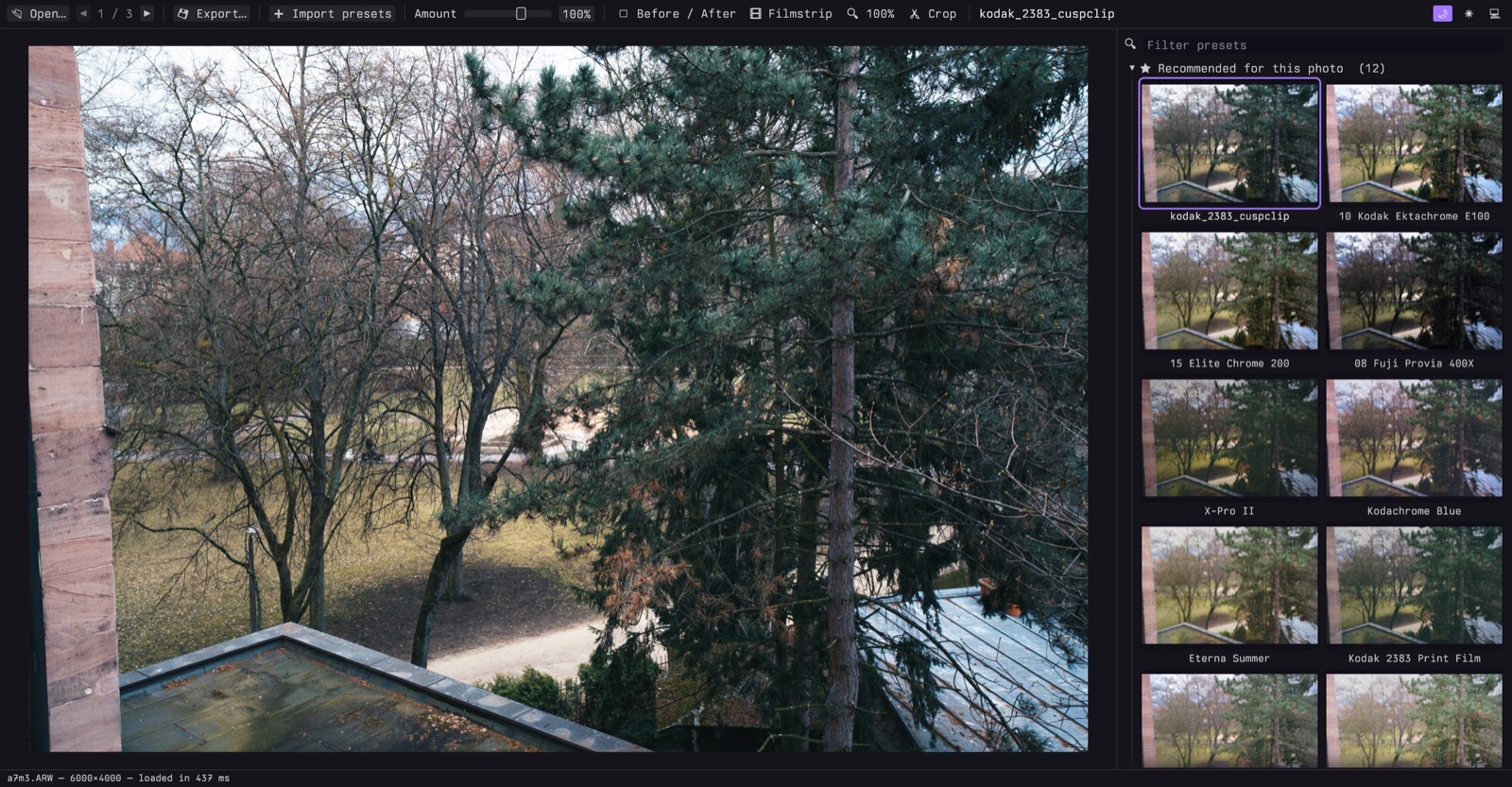
A small desktop app for trying presets on photos. Open a photo, see every preset applied to it, pick one, export. It's the preset browser from Lightroom and nothing else.
Everything runs on the GPU, so the preview and all the thumbnails update instantly.
Download for macOS Source on GitHub
What it does
- Opens JPEG, PNG, TIFF, WebP, HEIC/AVIF and camera RAW (CR2/CR3, NEF, ARW, RAF, DNG, …). HEIC and RAW show their embedded preview first, then the full image.
- Reads Lightroom presets (
.xmp,.lrtemplate) and.cubeLUTs. Drop them on the window and they're grouped by folder. - Suggests about a dozen presets per photo. Every preset is rendered small and scored for clipping, exposure, contrast, saturation and skin tones; hover a suggestion to see why it was picked.
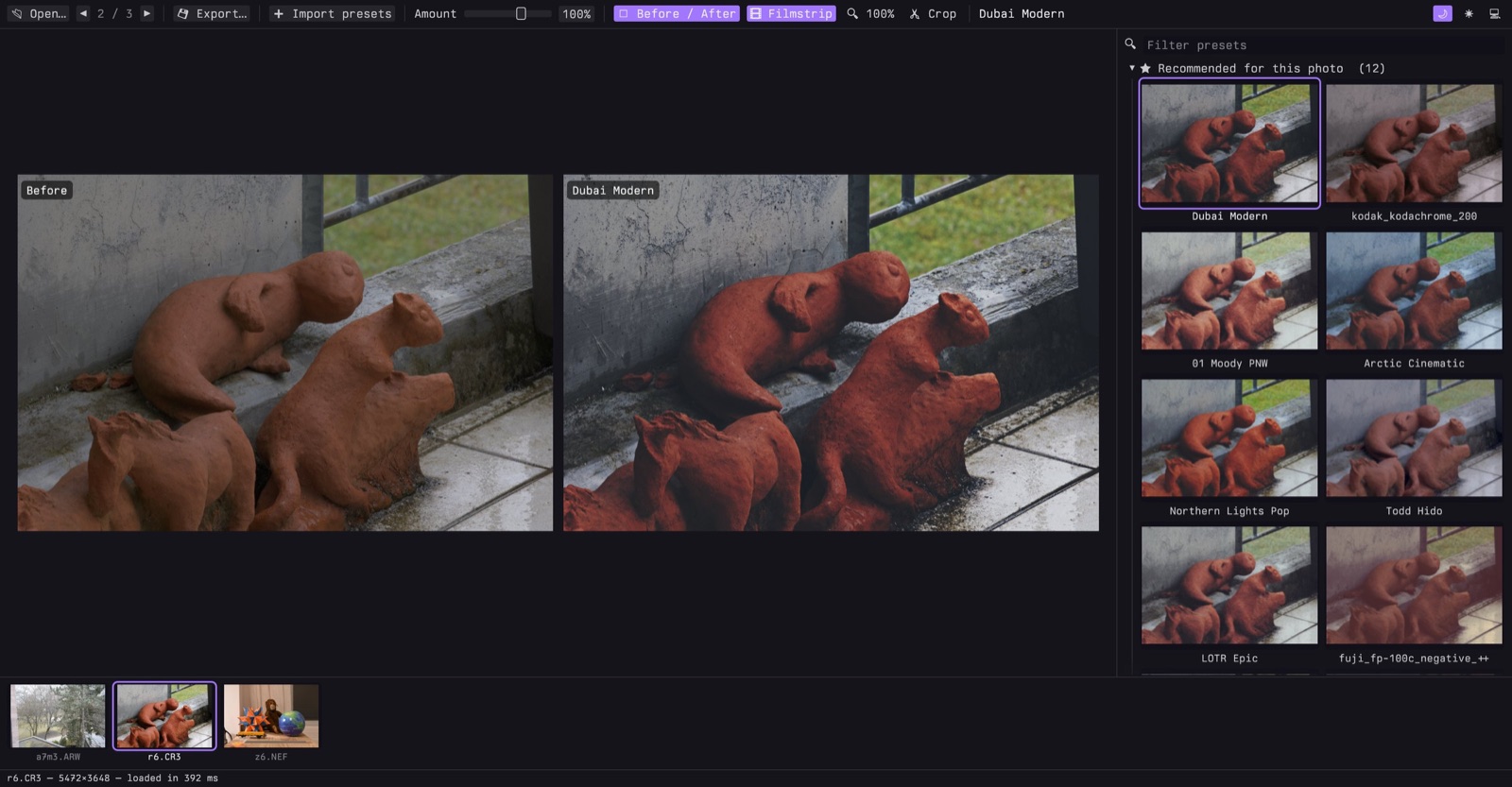
- Before/after view, 100% zoom to check grain and sharpness, and pinch to zoom up to 800%.
- Steps through a folder with the next and previous photos decoded in the background, plus an optional filmstrip.
- Crops to common aspect ratios and exports at full size or for Instagram, X or Facebook, as JPEG, PNG or TIFF, keeping the camera and exposure metadata.
Keyboard first
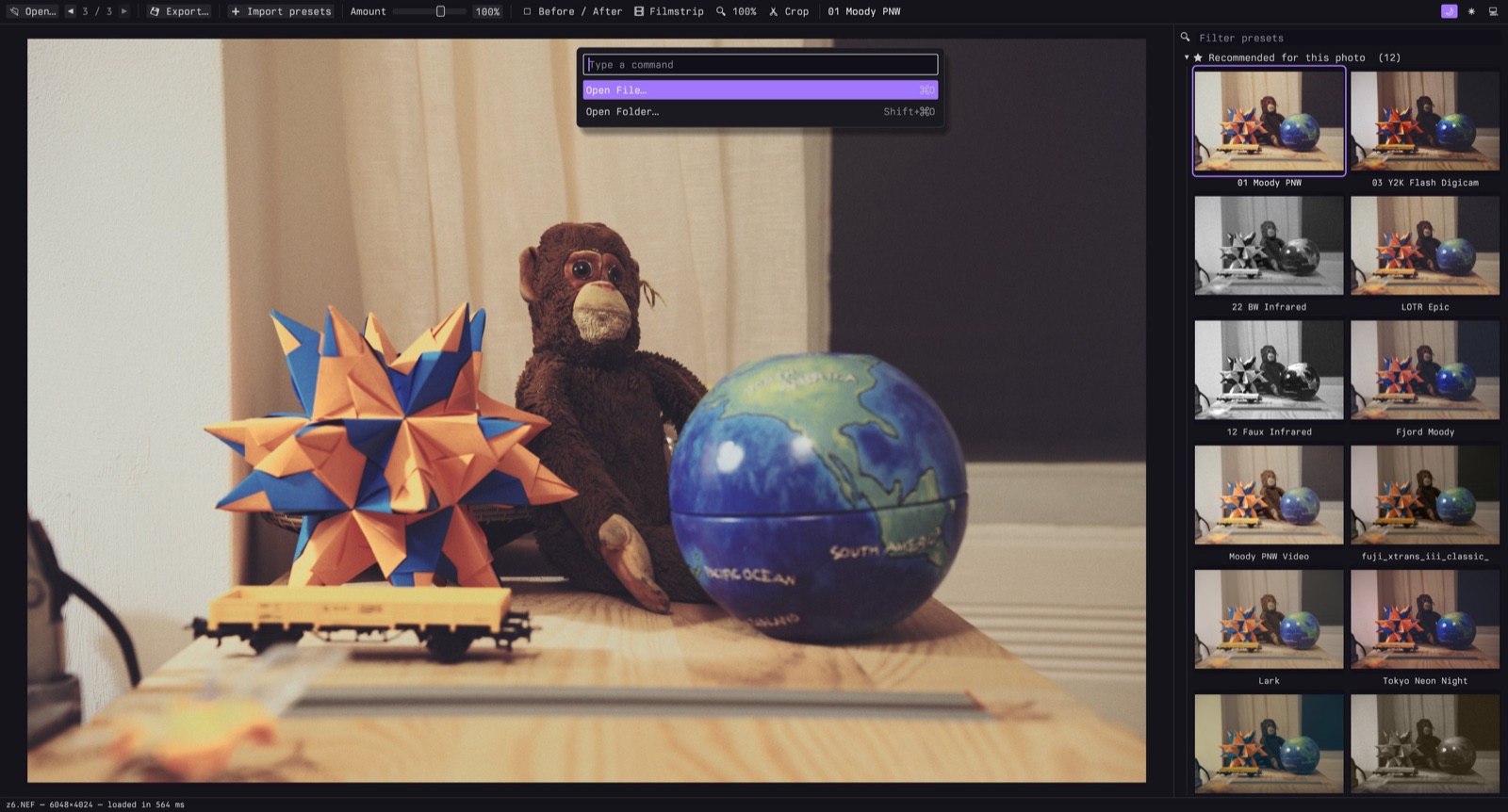
Everything is a key away, and a command palette (⌘K) covers the rest. [ and ] move through the folder, Y toggles before/after, ⌘S saves next to the original.
And a command line
bp_photos apply --preset "Portra-ish" --size instagram-portrait *.heic --out insta/
bp_photos recommend photo.jpg
Lightroom's processing isn't public, so presets come out close to Lightroom, not identical.